Thought Records: Introducing version 1.2
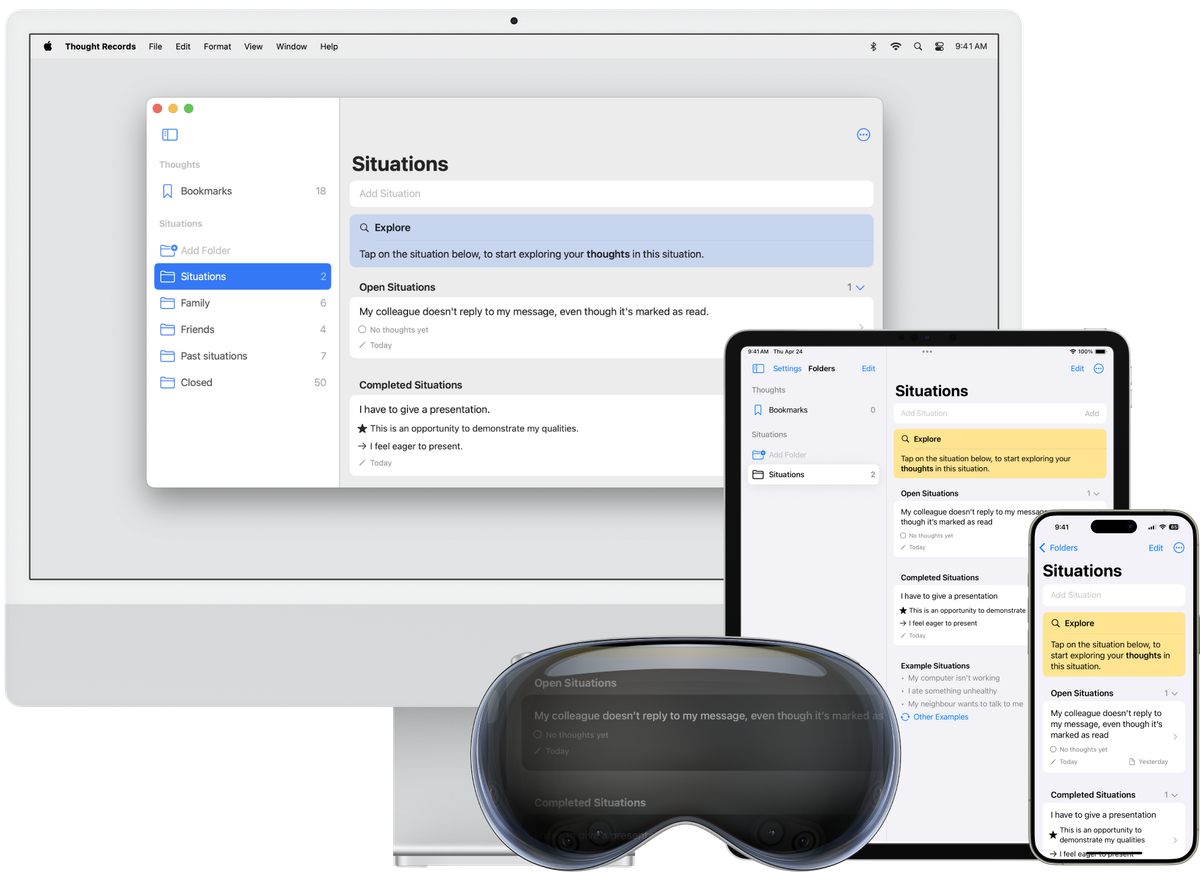
Some 50 years ago, Beck, Rush, Shaw, and Emery (1979) introduced the thought records method for cognitive behavior therapy, a method in which clients reflect on maladaptive feelings, behaviors and thoughts in challenging situations. Since then, its effectiveness has been well established (e.g. McManus, Van Doorn & Yiend, 2012), so clients are still often encouraged to process challenging situations by following the thought record model at and in between therapy sessions. Traditionally, this is done by pen and paper.
A couple of years ago we thought we could make this a little more accessible for clients, by bringing this method to a device that's with you wherever you go: your phone. Our Thought Records (previously called Rethinker) app actually precedes our official registration as a company in 2021, and is certainly more experimental than the apps we've since worked on. As such, we've left it alone for a couple of years. Then, last month, we decided to take a short break from our regular work, and revise the Thought Records app.
Why revise the Thought Records app?
The timing of this update has everything to do with how we built the app. From the start, the Thought Records app was designed and coded to be fully powered by Apple's own SwiftUI framework: a toolkit used by developers to build apps. Early versions of SwiftUI were only supported by the latest iOS at the time; since then every major update to iOS extended the range of available SwiftUI components and modifiers.
Of course, those early versions of SwiftUI were relatively lacking in components. The Thought Records app, however, was built on such an early version. Therefore, it was constrained in some awkward spots, such as its text fields. In an app that's all about text input, the user experience of text fields has a crucial impact. At the time, SwiftUI text fields were limited, in that they couldn't expand vertically as the user typed more text. Instead, the earlier text would be pushed out at the left side of the text box, obscuring that part of the text. We didn't think this was a severe issue (in part because we encourage users to keep their text input short), but it always nagged at us.
Limitations like these were always in the back of our minds. So when we felt we needed a break from our regular work, we decided to fix the issues with the tools introduced in newer versions of SwiftUI.
So what's new?
Name
First of all, we've updated the name of our app from Rethinker to Thought Records. We prefer app names that directly reflect their purpose, and since this app is all about thought records, we're now calling it Thought Records (readers might notice a similar strategy with our EMDR app).
Apple Vision Pro Support
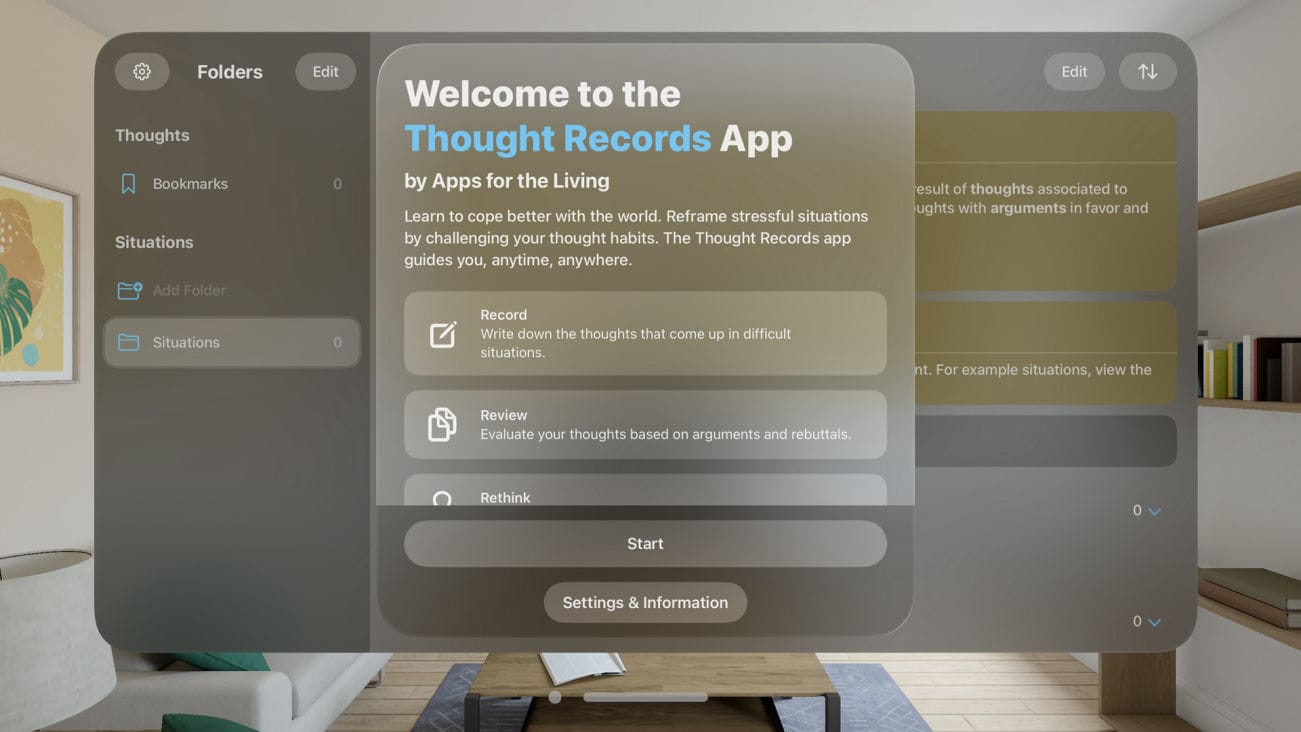
Secondly, we took the opportunity to build a fully native Apple Vision Pro app. We're big believers in native user interfaces (see the 6 native versions of our EMDR app), and only a native version could deliver that experience on Apple Vision Pro. Also, since we use Apple's own SwiftUI framework, which is largely cross-platform, it only took us two days to optimise the SwiftUI code for Apple Vision Pro. Here's what the Thought Records app looks like when first opened on Apple Vision Pro:
Improvements
Third are of course the improvements we could now finally implement. We improved the text fields (they now resize dynamically, allowing you to see all of the text you're typing), we added consistency in menus, right-click actions, and left-swipe gestures, and we improved iCloud syncing.
New features
Fourth are the new features, the things that enhance the experience rather than fix annoyances. For example:
- You can now drag various elements to change their order, and drag situations into different folders;
- You can group situations by completion, and order them by creation or modification date;
- There's now an Edit button on most pages (on iPhone, iPad and Vision Pro);
- We've added buttons to the software keyboard, or to the textfield if a hardware keyboard is used;
- The Mac version is now a little more Mac-like, with a floating Preferences window, menubar commands, and usage of your chosen system color;
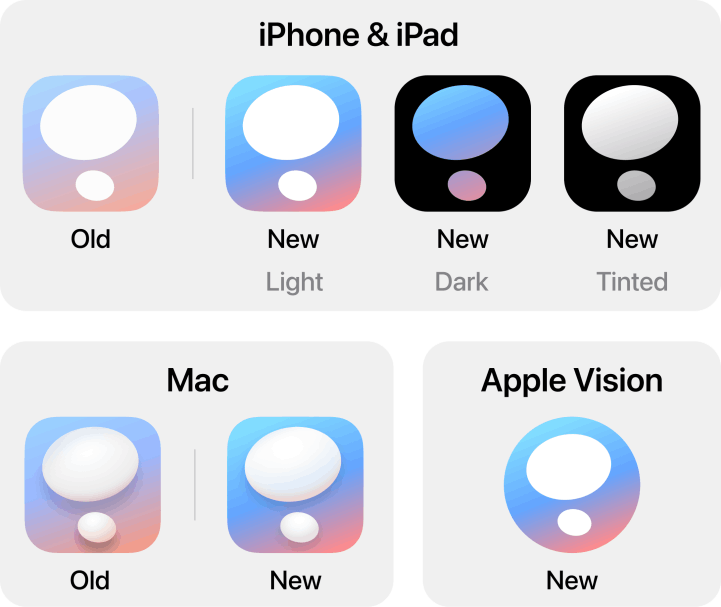
- We've added dark and tinted icons for iPhone and iPad, and revised the main app icon on all platforms:
What's not new?
The basic design is essentially the same as it's always been. This means that there's a Situations page, a Thoughts page and an Arguments page, each with guidance. It's a very raw, no-nonsense presentation of a thought records database. We hope this encourages users to use this app with guidance from a professional cognitive behavior therapist.
Try out the Thought Records app today, and let us know what you think!